Construction Funds Management Software
Keep every funding source tied to the work.
Sources of funds gives teams construction funds management software built to connect grants, bonds, appropriations, reserves, and releases to budgets, commitments, invoices, and actuals—all inside Kahua.
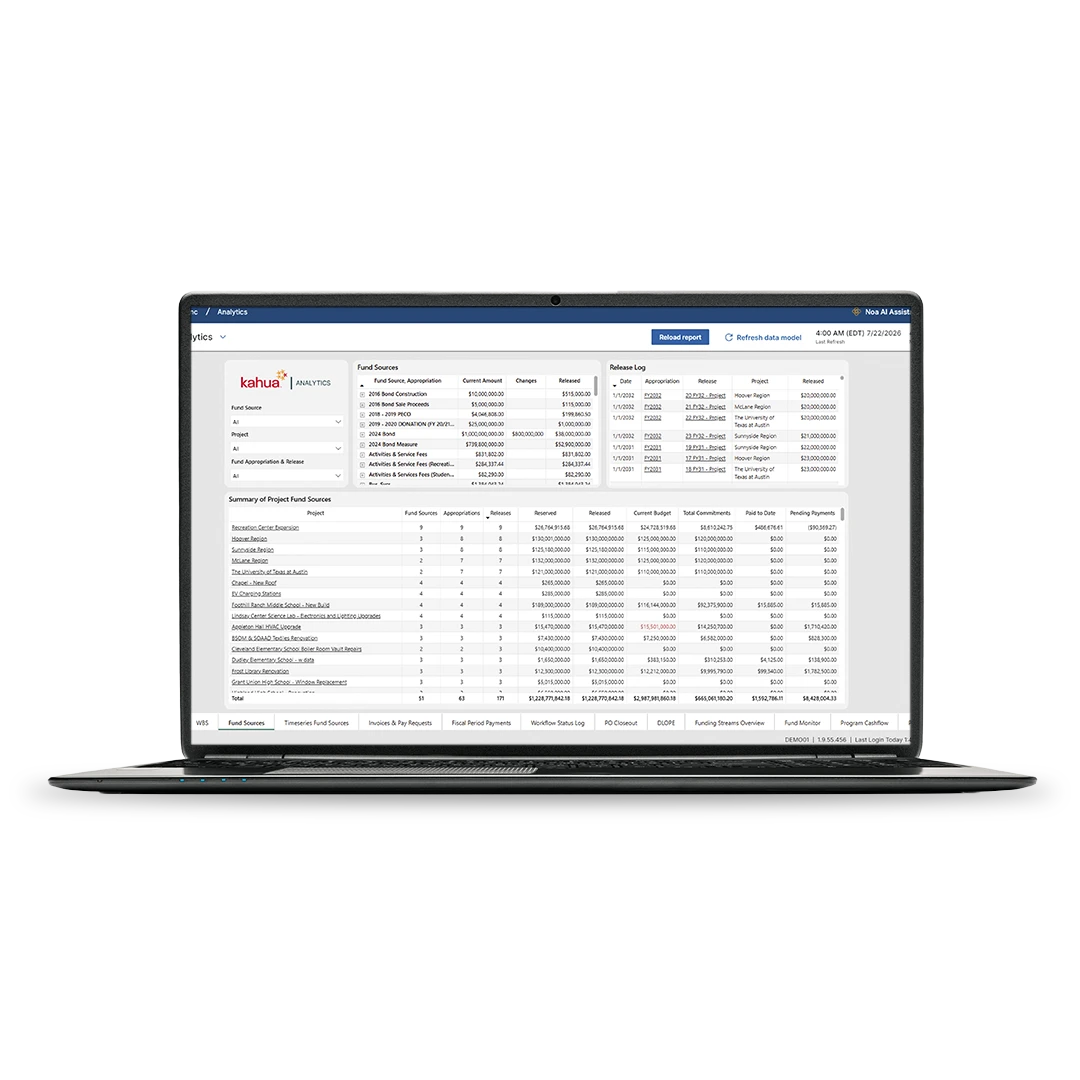
Construction funds management software for capital program funding
Define funding sources, manage releases and reserves, apply fund rules, connect funding to project finances, and report on fund status across programs and projects.
Define funding sources
Identify distinct public and private funding sources, then set the dates, amounts, and rules that determine when those funds can be used.
Manage appropriations and releases
Track planned and approved appropriations, reserve funds for planned work, and release funds to the projects they support.
Build flexible fund rules
Set rules by percentage, amount limit, funding source, or consumption order, so costs follow the right funding path.
Connect funds to finances
Tie funding sources to budgets, commitments, invoices, and actuals to give finance teams visibility on where project dollars stand.
Sources of Funds with Kahua
Track sources of funds across programs and projects in Kahua.
FAQs
Frequently asked questions
See how Kahua’s sources of funds helps you manage grants, bonds, appropriations, reserves, releases, rules, reporting, and project finances.
Construction funds management software helps teams track how grants and other funding sources connect to budgets, commitments, invoices, actuals, and reporting. For capital programs with grants, bonds, appropriations, taxes, or public and private funding, it gives finance and project teams a clearer record of where money came from and how it’s being used.
Sources of funds helps teams define funding sources, set when funds are available, assign rules, release funds to projects, and track funded work across programs and projects. It connects funding activity to the financial record so teams can see reserved, released, budgeted, committed, and actual amounts.
Yes, construction financial software like Kahua can help teams manage funding sources like grants, bonds, public funds, private funds, appropriations, reserves, and releases. Teams can define when funding is available, track modifications, and connect each funding source to the project or program it supports.
Setting funding rules can help turn current project data into dashboards and reports that help leaders see trends, risks, and next steps.
Sources of funds keeps funding history, current balances, projected utilization, and financial activity in one connected record. Instead of rebuilding reports from spreadsheets, teams easily generate and create reporting for fund status, distribution history, budgeted amounts, commitments, and actuals when reporting or audit questions come up.
Related Solutions
See other resources on sources of funds.




Explore Related Solutions