Construction Portfolio Management Software
Create connected portfolio structures with custom project details.
Kahua gives you a way to organize projects, programs, and portfolios, so teams can manage each level differently while keeping reporting, cost, and risk in one record.
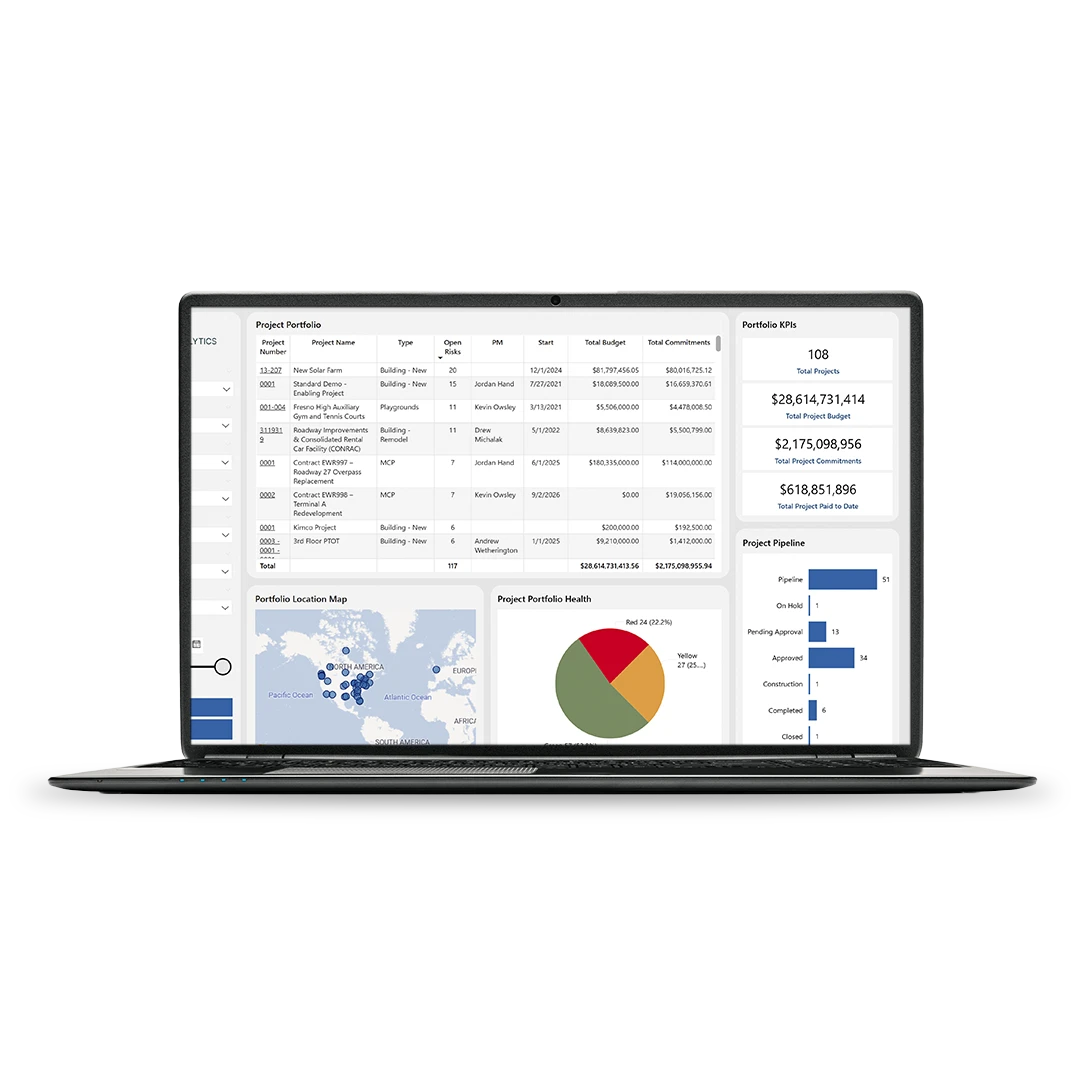
Structure your portfolio the way your organization works.
Group projects by business unit, project type, region, or any custom structure, then keep each level easy to navigate and review.
Manage partitions with control.
Use partition hierarchy to separate teams, customers, or project groups while preserving the visibility leaders need across the full portfolio.
Drill down without losing context.
Start with a portfolio view, then move into program, project, and record-level detail without rebuilding the story in another system.
Configure programs differently.
Give different portfolios, programs, and project types their own workflows, templates, and reporting rules without forcing one rigid process on every team.
Portfolio Management with Kahua
See how you can manage the entire construction portfolio inside Kahua.
FAQs
Frequently asked questions
Learn how Kahua’s construction portfolio management software helps teams organize work, manage different project structures, and keep portfolio reporting connected.
Construction portfolio management software is project management software that reaches far beyond individual projects. Also called a project management information system (PMIS), it helps owners and program teams organize multiple projects into a structure that supports roll-up reporting, drill-down visibility, and portfolio-level control. In Kahua, that means teams can manage projects, programs, and portfolios in one governed environment instead of piecing the story together in spreadsheets.
Kahua supports hierarchy and partitions by letting organizations group work the way they actually operate—by business unit, region, project type, or other custom structure. Partition hierarchy keeps data organized the way individual teams work while preserving the ability to roll up information for visibility across the full portfolio.
Kahua is built to let teams configure programs differently based on project type, team structure, or approval path. That gives owners the flexibility to manage different portfolios without forcing every project into the same process.
Portfolio management helps by keeping project data connected at the source, so leaders can see roll-up reporting without waiting for manual updates. Kahua helps teams move from portfolio view to project detail, which makes it easier to spot risk, compare programs, and respond faster.
Hierarchy matters because not every project should be managed the same way. A portfolio view, a program view, and a project view may all need different rules, dashboards, and access. But most importantly, they need structured data. Kahua gives teams a clear structure so reporting stays accurate as the projects scale.
Kahua Resources
Explore portfolio management resources.


Explore Related Solutions