Construction Reality Capture Software
Connect jobsite reality to every stage of the project.
kCapture connects reality capture to construction workflows, creating an audit-ready visual record across the asset lifecycle—all inside the Kahua platform.

Get 360-degree views.
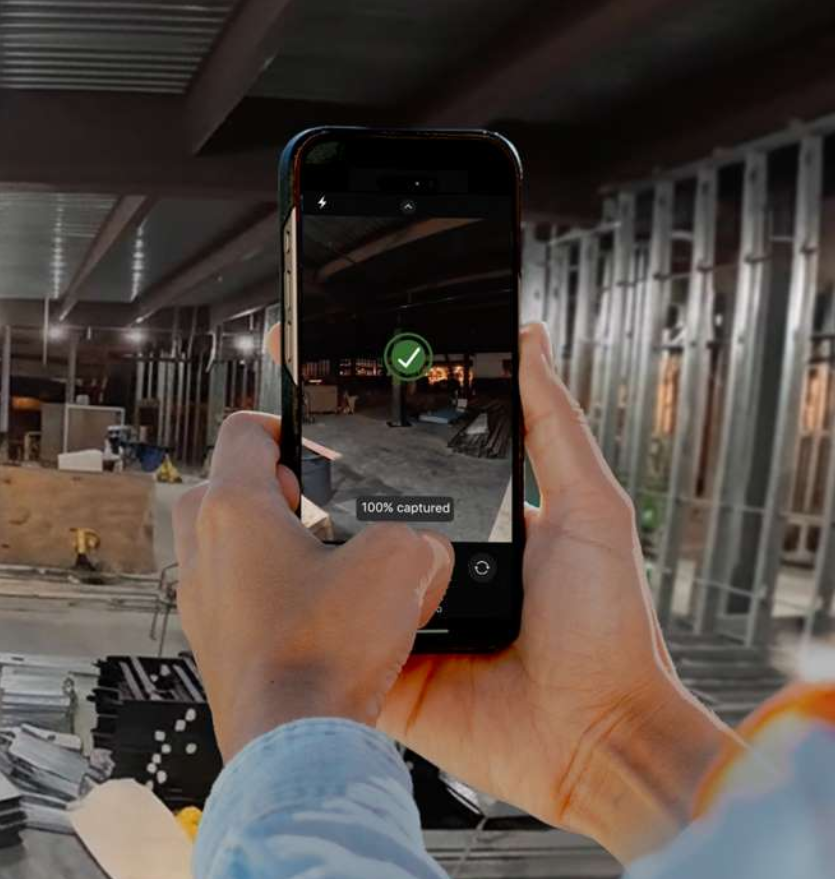
Capture panoramas or upload photos and video from the field to create a visual record of rooms, equipment, exteriors, and site conditions.

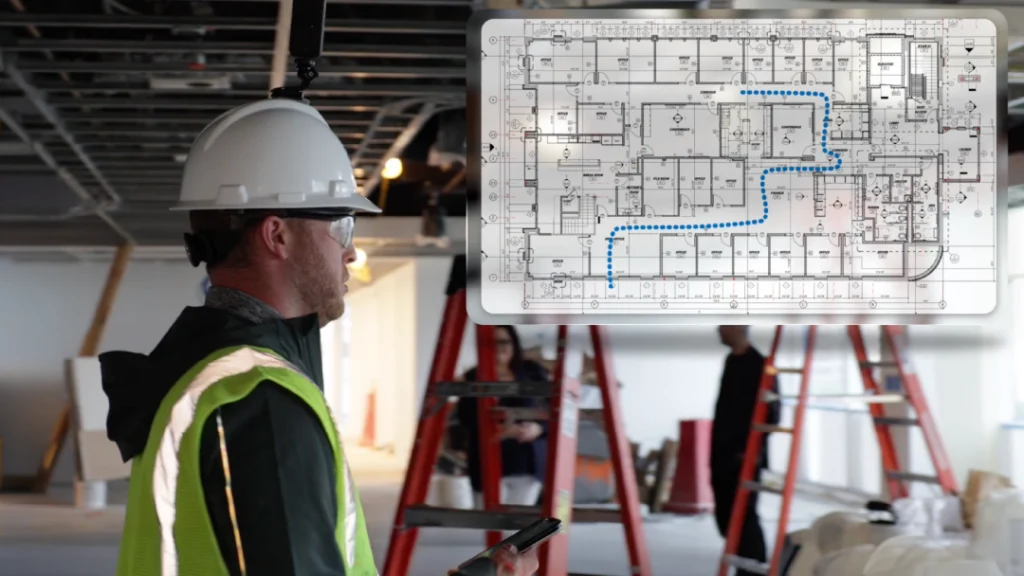
Pin captures to drawings.
Upload a floor plan, place capture pins by location, and return to the same spot later to review site conditions.

See site progress.
View the same location from different dates side by side to see what changed, verify installed work, and document progress over time.
Walk the site remotely.
Walk the site once, then revisit it anytime through a mapped, street view-style experience.
Collect field documentation.
Send a secure capture link to anyone onsite. What they capture is automatically connected to the right location in the project record.
Customer Testimonial
Reality capture in one system of record.

Teams can finally deploy 360-degree reality capture inside a FedRAMP-certified boundary. And, because it's built into the heart of the Kahua PMIS rather than bolted on, the reality of the building stays connected to the project record across the entire lifecycle of the asset.
Security
Reality capture built for high-security projects
kCapture operates within Kahua’s FedRAMP-certified environment, extending the same security and governance controls to visual project documentation.
Site captures remain inside the Kahua platform rather than being stored in a separate reality capture system.
FAQs
Frequently asked questions
Your biggest construction reality capture software questions, answered.
Construction reality capture software creates a visual record of actual jobsite conditions, so teams can review what was in place at a specific point in time. Depending on the technology, that record may include 360-degree imagery, photos, video, drone imagery, laser scans, or other spatial data.
Your teams need a more complete view of field conditions without relying only on written updates, memory, or another site visit. Document progress, existing conditions, installed work, quality issues, concealed conditions, and changes over time.
The most useful reality capture systems also give that imagery context. Connecting a capture to a drawing, location, date, project record, or asset makes it easier for someone reviewing the information later to understand what they are looking at and why it matters.
kCapture keeps that visual record inside Kahua.
Teams can open captures from drawings, compare conditions between visits, and connect what they see in the field to the records and workflows behind the work.
Reality capture is used throughout construction to document site conditions, review progress, answer questions, and preserve visual evidence of the work.
A project team might capture a space before demolition, document work before walls or ceilings are closed, compare the same location at different stages of construction, or give office workers or other off-site stakeholders a current view of field conditions.
Visual documentation can also support quality reviews, punch work, change discussions, milestone validation, commissioning, and claims.
Construction photo documentation is one form of reality capture. Traditional photo documentation usually consists of individual images taken to record progress, issues, completed work, or site conditions. Reality capture can expand that record with 360-degree imagery and other technologies that provide more complete spatial context.
A standard photo may clearly show a specific piece of equipment or deficiency, but it usually captures only what the photographer chose to frame. A 360-degree capture records the surrounding environment as well, allowing someone to look around the space later and see details that may not have seemed important at the time.
Photos and captures are much easier to use when teams can associate them with locations, drawings, dates, project records, or assets instead of searching through folders or camera rolls.
The equipment depends on the type and level of documentation a team needs. Some reality capture workflows use dedicated 360-degree cameras, while others can support phones or tablets for simpler field documentation.
Dedicated cameras are useful when teams want to capture an entire room, corridor, exterior area, or jobsite path. kCapture currently supports 360-degree capture hardware including Insta360, Ricoh Theta, and GoPro MAX cameras, as well as mobile capture from a smartphone or tablet.
Kahua doesn’t provide reality-capture hardware for kCapture.
Visual documentation can preserve information that becomes difficult or impossible to reconstruct after construction is complete.
For example, teams may document equipment locations, labels, shutoffs, infrastructure, finished conditions, or work that will later be concealed. During commissioning and turnover, those records can provide additional context alongside drawings, manuals, warranties, test results, and other handover information.
If the visual history remains in a third-party construction tool after the project closes, teams may lose access to it or receive it as a batch of randomly labeled pictures and PDFs.
kCapture is designed so the capture history is still connected to the project and asset record as maintenance and operations take over. That gives future teams a reliable source of information when doing repairs, planning renovations, or maintaining facilities.
Explore Related Solutions